
The web interface, in motion
Most of what 0.3.3 added is a thing that happens rather than a thing that sits still, so most of this page moves. A terminal that stays put while the page scrolls, a filter that takes lines away, a theme that changes a whole window at once and a button that says what it did are all claims about behaviour, and a screenshot of any of them is a screenshot of the moment before or the moment after.
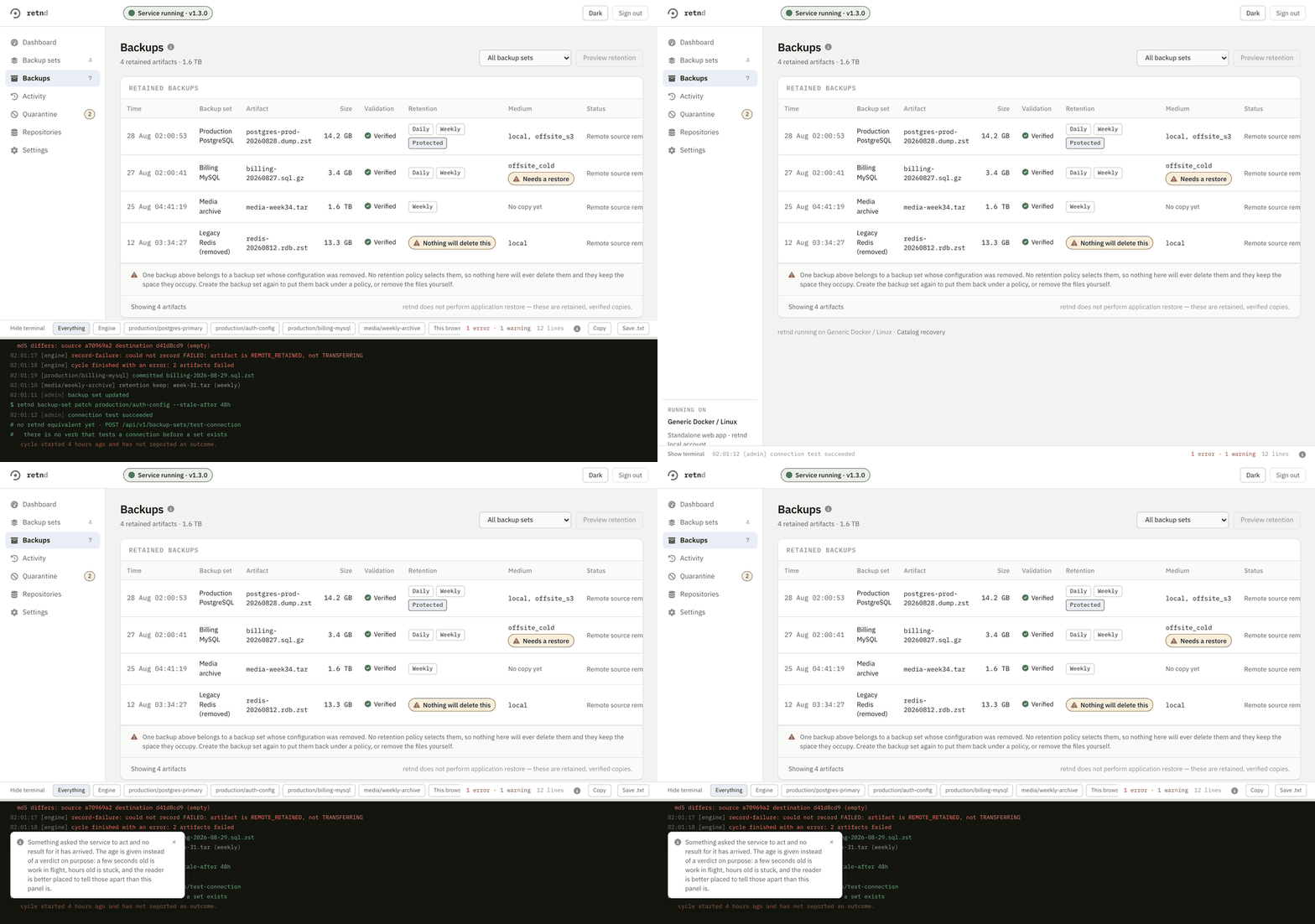
The terminal at the bottom of every page
There is a log panel docked to the bottom of the browser window on every signed-in page. It answers one question: what has this deployment done recently, including the thing I just clicked. It reads the engine's own buffers, so two people watching one NAS see the same lines in the same order with the same sequence numbers and can quote a timestamp at each other.
It is pinned to the window, not to the end of the document, and that distinction is the whole of #617. In flow it rode the bottom of the page, so on anything longer than a screen the always-on panel had scrolled out of view and only appeared once you had already got to the bottom, which is the opposite of what an always-on panel is for. Watch the page move under it.
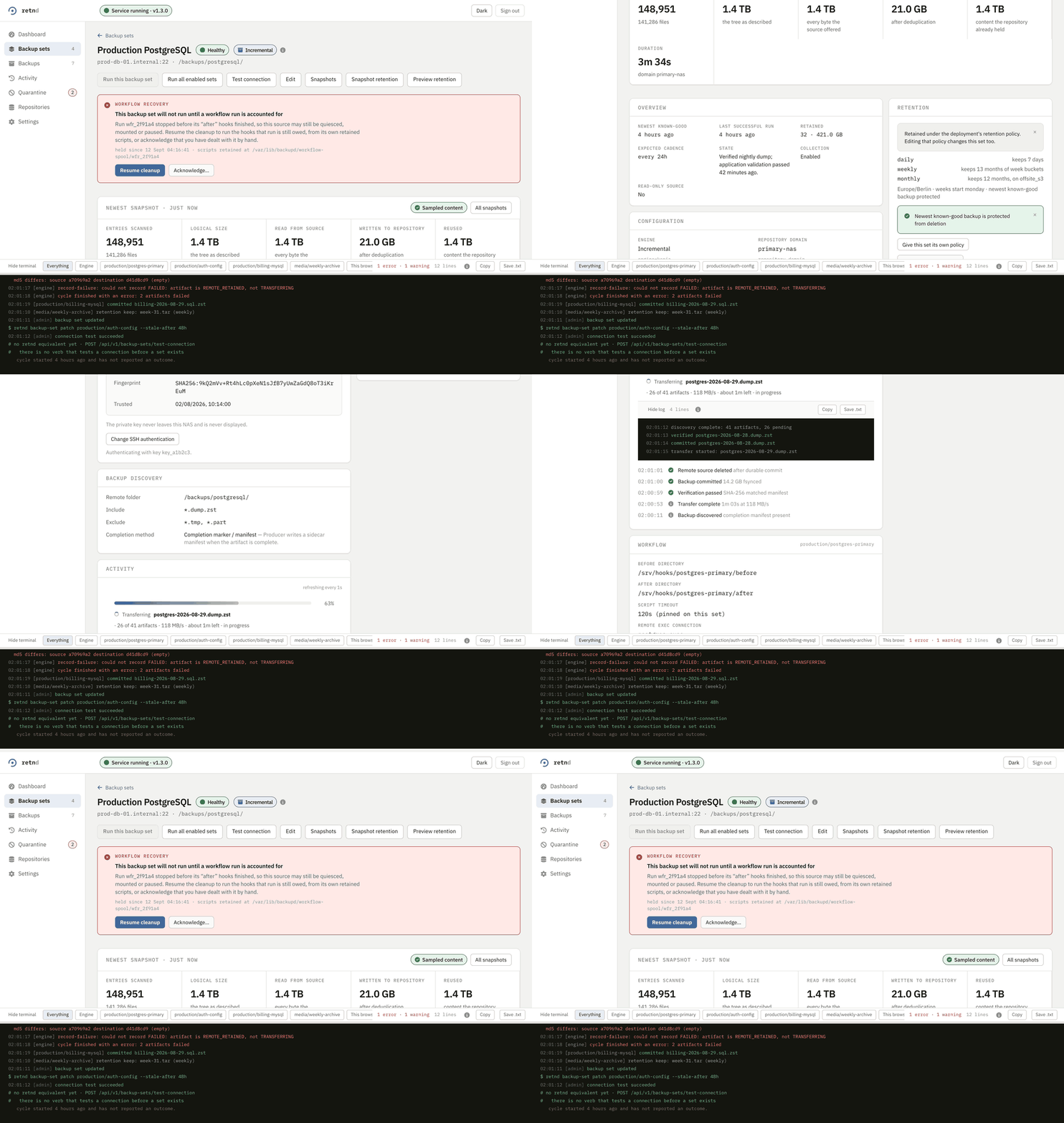
Collapsing it does not collapse it to nothing. The bar keeps the newest line and a count of what has gone wrong, because a terminal that collapses to a blank strip teaches an operator to stop opening it. Whether it is open, how tall it is and which filter is on are this browser's business and live in localStorage; the lines themselves are the deployment's.
Filtering it
One deployment runs several backup sets and they all write into one buffer. The chips decide what is drawn, never what is kept, so clearing a filter brings everything back. Engine leaves the lines that belong to no single set. A set's own id leaves that set's. Commands only is the interesting one: it reduces the panel to the actions somebody took through the API, each with the command line it was equivalent to.
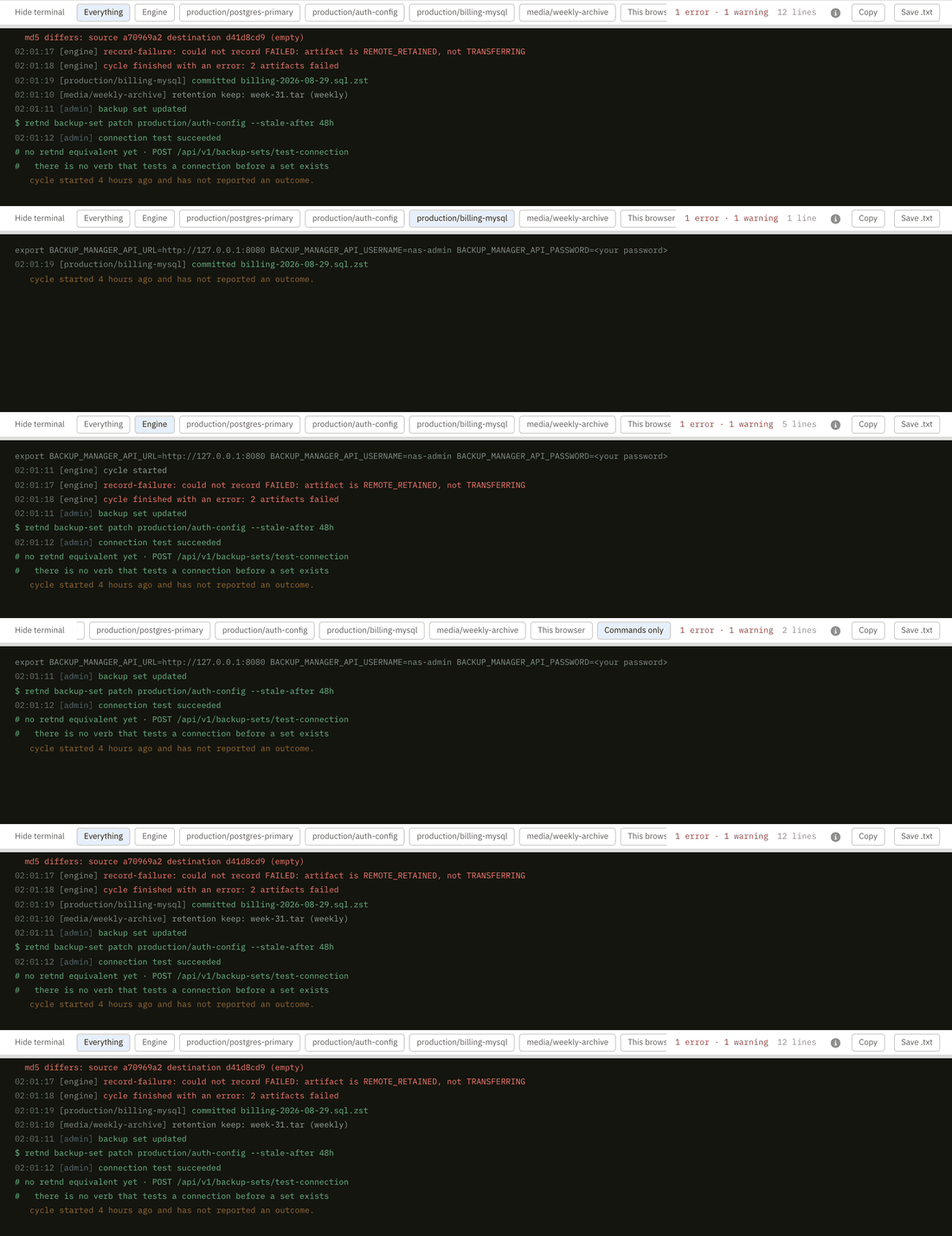
The chip row is a strip that scrolls rather than a row that wraps, which is why it slides sideways in the clip when a chip near the end is picked. The bar is a fixed 32px because the content column reserves exactly that much under itself, so letting the bar grow would push the last row of a long table back behind the terminal, which is the defect the pinning fixed arriving again from the other side. A chip out of view is reached by shift+wheel, by a trackpad swipe, or by tabbing to it, and the row draws a 4 px scrollbar rather than hiding one, because a plain vertical wheel moves a row that only overflows sideways nothing at all and none of the three ways across announces itself.
This browser is the one worth knowing about. A run you started, or a refusal that never reached the engine at all, is something this tab knows and the NAS may not, so those lines are marked as the browser's and this chip is what leaves only them. Both of those are facts about your session rather than evidence about the machine, and keeping the two apart is the whole reason the mark exists. The run clip below shows one arriving.
Starting a run, and reading the answer
Both run buttons are real now. Before #597 two of them called the API with no error handler, an empty configuration revision and no idempotency key, and the third had no handler at all, so a refusal from the destructive gate, a stale revision, a malformed request and a dead engine were all pixel-identical to a button that did nothing.
What comes back is a notice with four parts, and each part is there for a reason. It states an outcome rather than leaving one to be inferred. It says what to do about it when there is something to do. It names the command the press was equivalent to, copy-pasteable exactly as written, which matters most on a refusal, because while the destructive gate is shut that command is the only remaining way to start the backup that was just refused. And it has a close control, which is #620: a banner you have read and cannot put away is a banner that pushes the page down forever.
The same line lands in the terminal at the bottom of the window, with a prompt in front of the command and a mark saying this browser wrote it. That is what makes the terminal the one place to look: whatever page you pressed the button on, and whichever of them you are on now, the answer to what just happened is in the same panel.
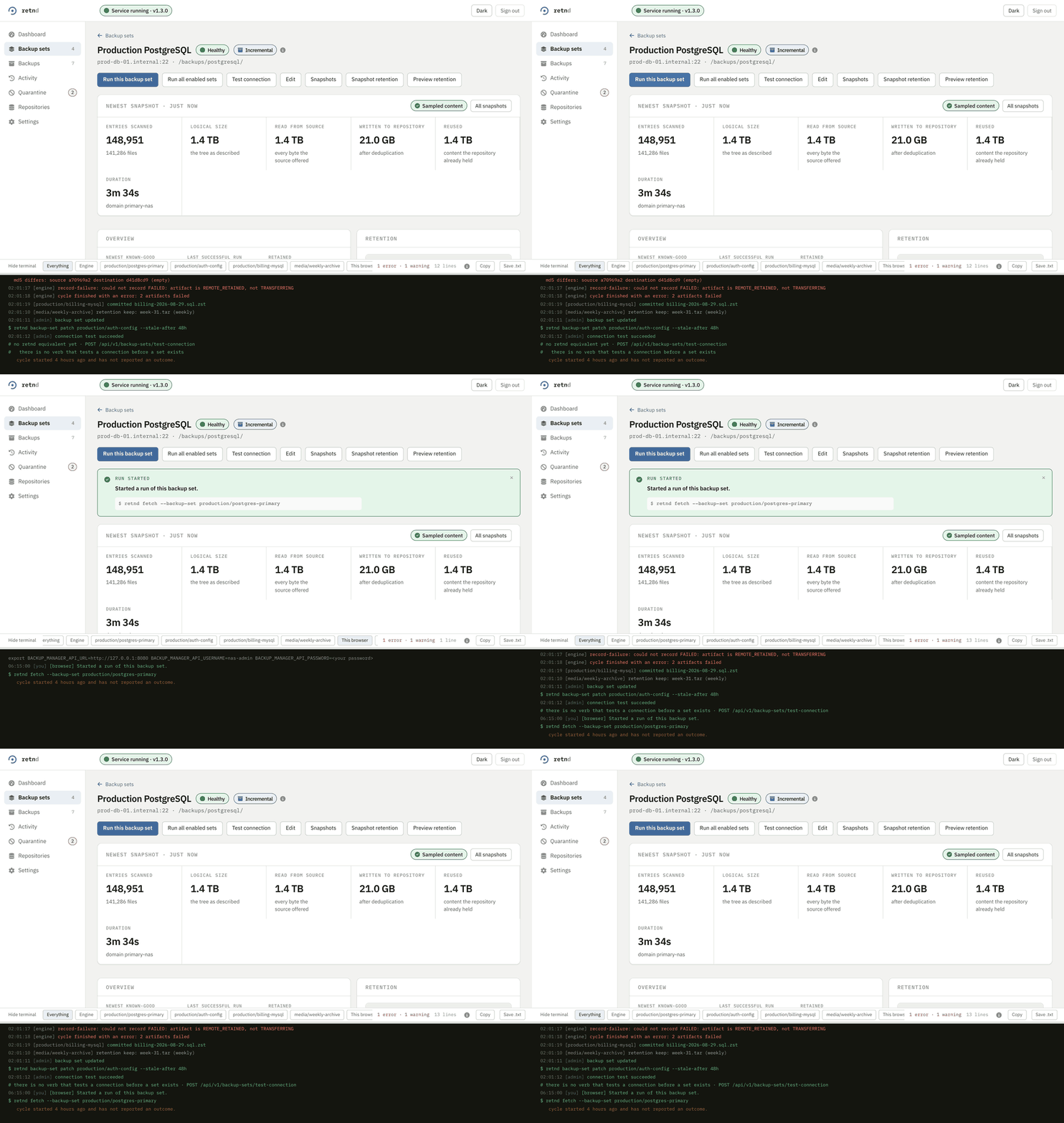
The set's own page has its own activity panel, and the same line reaches that too, scoped to the set it is about. It is marked [browser], always, because “the engine said this” and “your browser asked for this” are different facts and only one of them is evidence about the NAS.
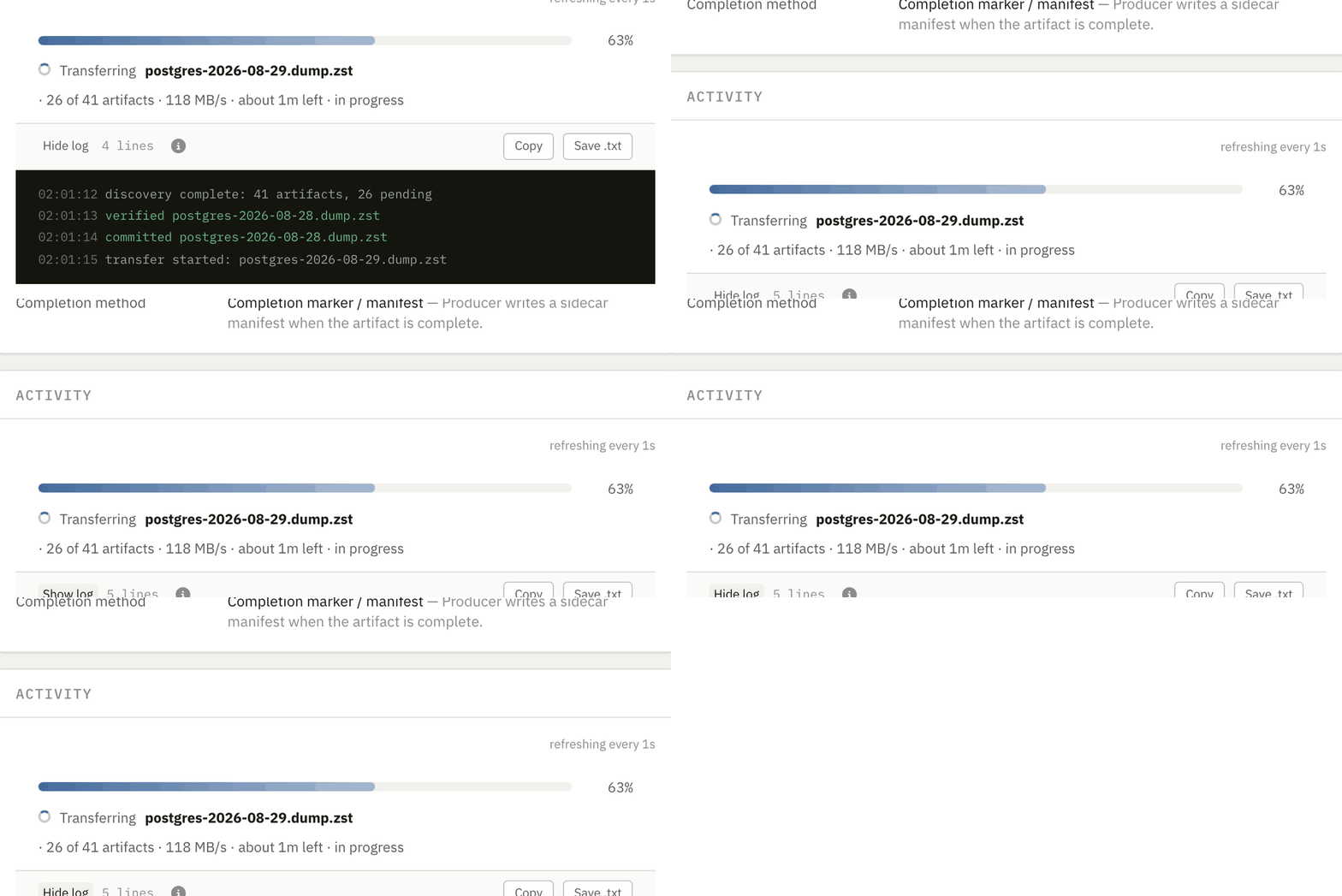
Seeing what retention would do
A preview is a read and deletes nothing. It lists every artifact the policy has an opinion about, on both sides, with the reason beside each one, and the reasons are the engine's own words rather than something the page worked out again: protected as the newest known-good, sibling-prefix directory found at the computed path; refusing to delete. A refusal gets its own group, because "I decided not to delete this and here is why" is a different answer from "this was not selected".
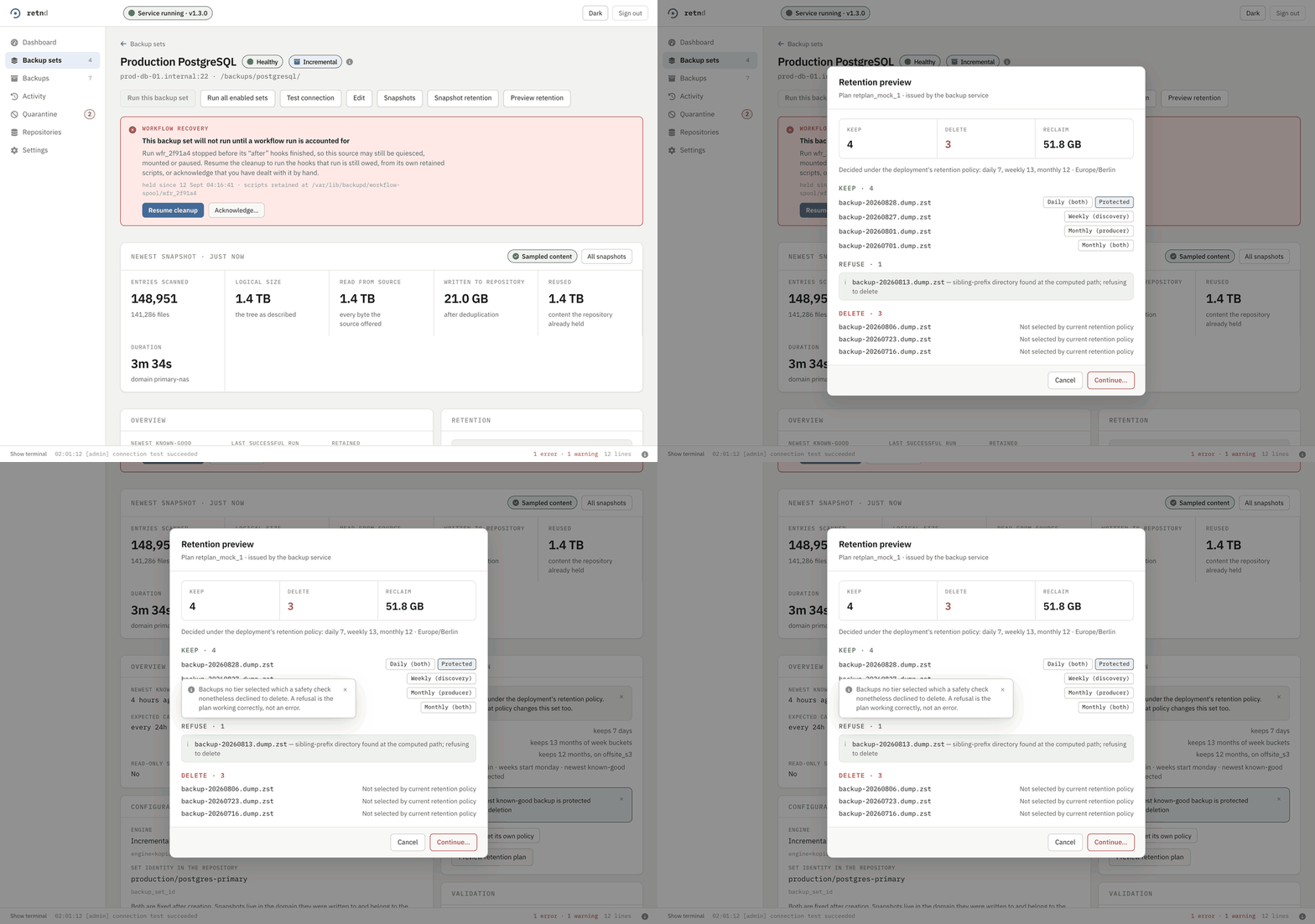
Editing a set, and getting out of it
Opening the editor takes a hold on that backup set. The hold is a real thing on the server with a command of its own, and it exists so a cycle does not start against a set somebody is halfway through changing. Which means leaving the editor has to give the hold back, and before #591 there was a back link and no way to discard what you had typed, so an operator who opened the form just to read it walked away leaving the set held.
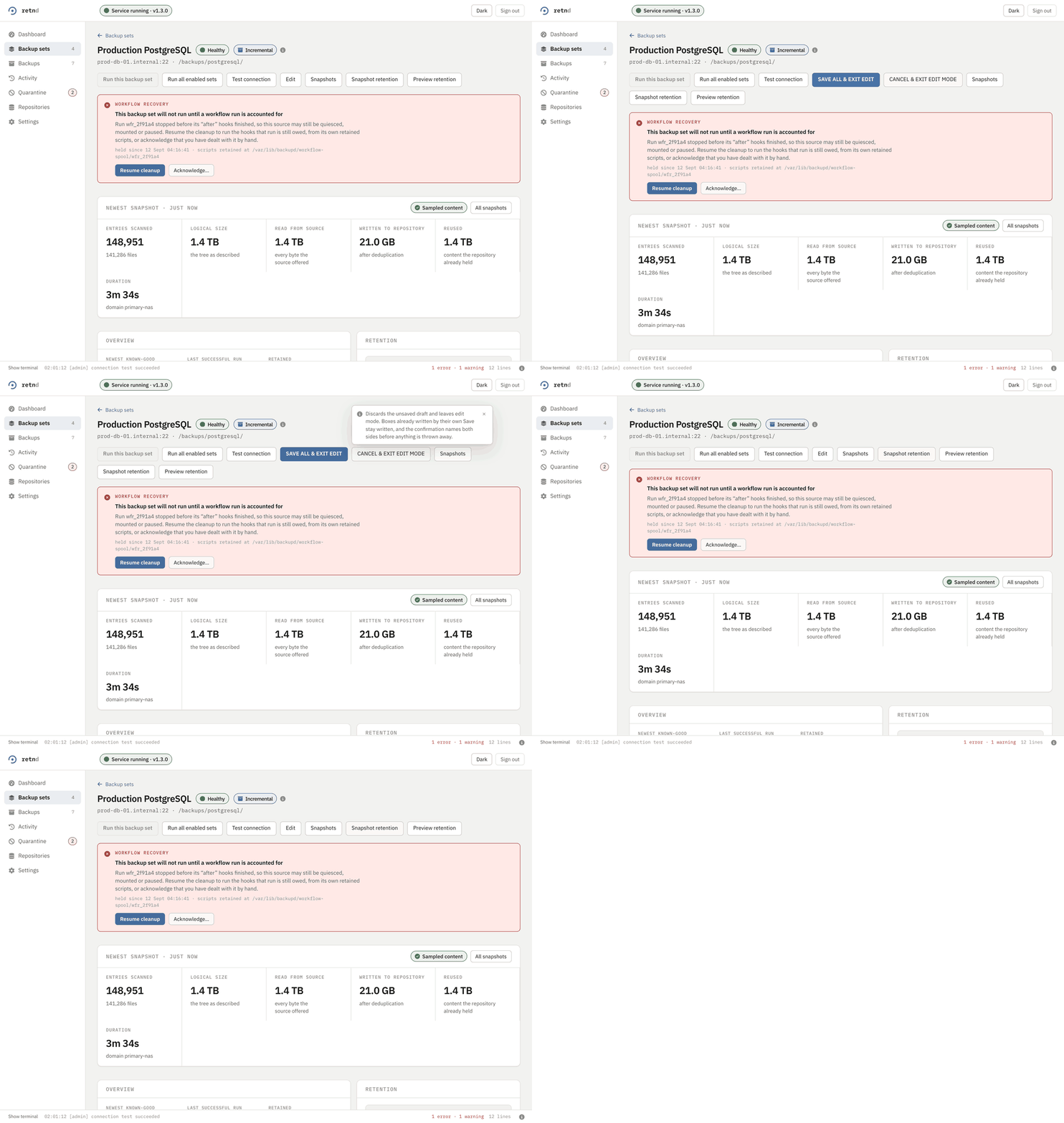
Dark mode
The defect #618 fixed was not that dark mode looked bad. It was that the application painted its own surfaces dark and left every native control at the browser's default, so a select, a number input and a file field drew black text on a dark field. It read correctly in light mode, where the browser's default happens to match, which is why it survived so long.
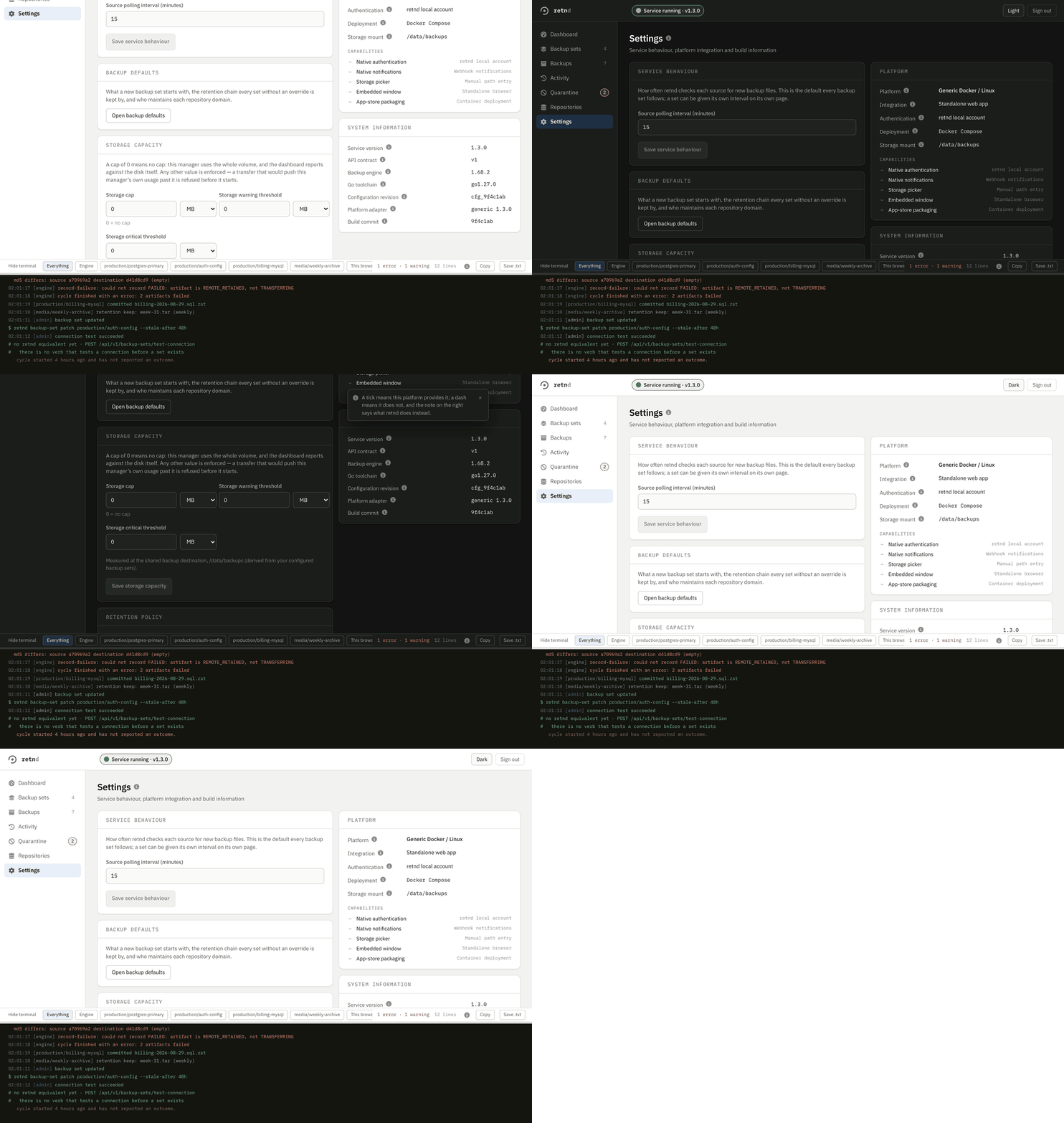
The icons
Everything drawn as an icon is Font Awesome Free 6.7.2, compiled into the bundle as paths rather than fetched, under CC-BY-4.0 and reproduced unmodified. Before #621 they were Unicode glyphs, which means the navigation looked different on every operating system and sometimes rendered as an emoji. The typeface went the same way in #631: IBM Plex is vendored into the image and served from it, so an isolated deployment with no route to Google Fonts keeps the face it was designed in instead of silently falling back.
The workflow surfaces have their own page
Scripted backup workflows added four screens' worth of moving parts — a run timeline through five stages, a read-only terminal per script, a validation report with line numbers, and a hold that blocks a backup set until somebody resumes or acknowledges it — and every one of them is a thing that happens rather than a thing that sits still. They are on their own page with their own clips, because the feature needs the prose around the pictures: what the five stages mean, why a local hook runs outside the engine's container, and why a crash leaves a blocked set rather than a retry.
Why these are clips and not videos
A clip here is not a video of a browser. It is a list of frames with how long to hold each one, captured between real interactions with the running application. That is a deliberate choice and it buys three things. A video samples at a fixed rate, so how many frames a step gets depends on how fast the machine ran it, and the same script produces a different file every time. A video spends most of its frames on nothing happening, which is most of its bytes. And a video gives a reader no time on the frame that matters, because these interactions happen at typing speed and are being read by somebody trying to see what changed.
So the same script produces the same frame count with the same durations on any machine, and a re-record differs only where the application's own rendering differs. The clock, the timezone, the locale and the port the development server runs on are all pinned for the same reason: every time on screen goes through toLocaleTimeString and the terminal's first line is built from the address the page was loaded from, so without pinning them a re-record differs in every frame carrying a stamp or an address.
That is not the same as pixel-identical, and I would rather name the exception than claim otherwise: a panel the application animates on its own, such as the spinner and progress bar on a running backup set, is caught at whatever phase it happened to be in. Those clips move by a few kilobytes between runs. Everything that was moving for no reason has stopped.
The eight clips on this page come to about 1.6 MB between them, and they are loaded lazily. That budget is why the palette is 64 colours and why dithering is off: this is flat interface with hard text edges, and a dither pattern across a solid panel is both uglier and several times larger.